
Why 3D Hardscape Design Software Matters for Your Project
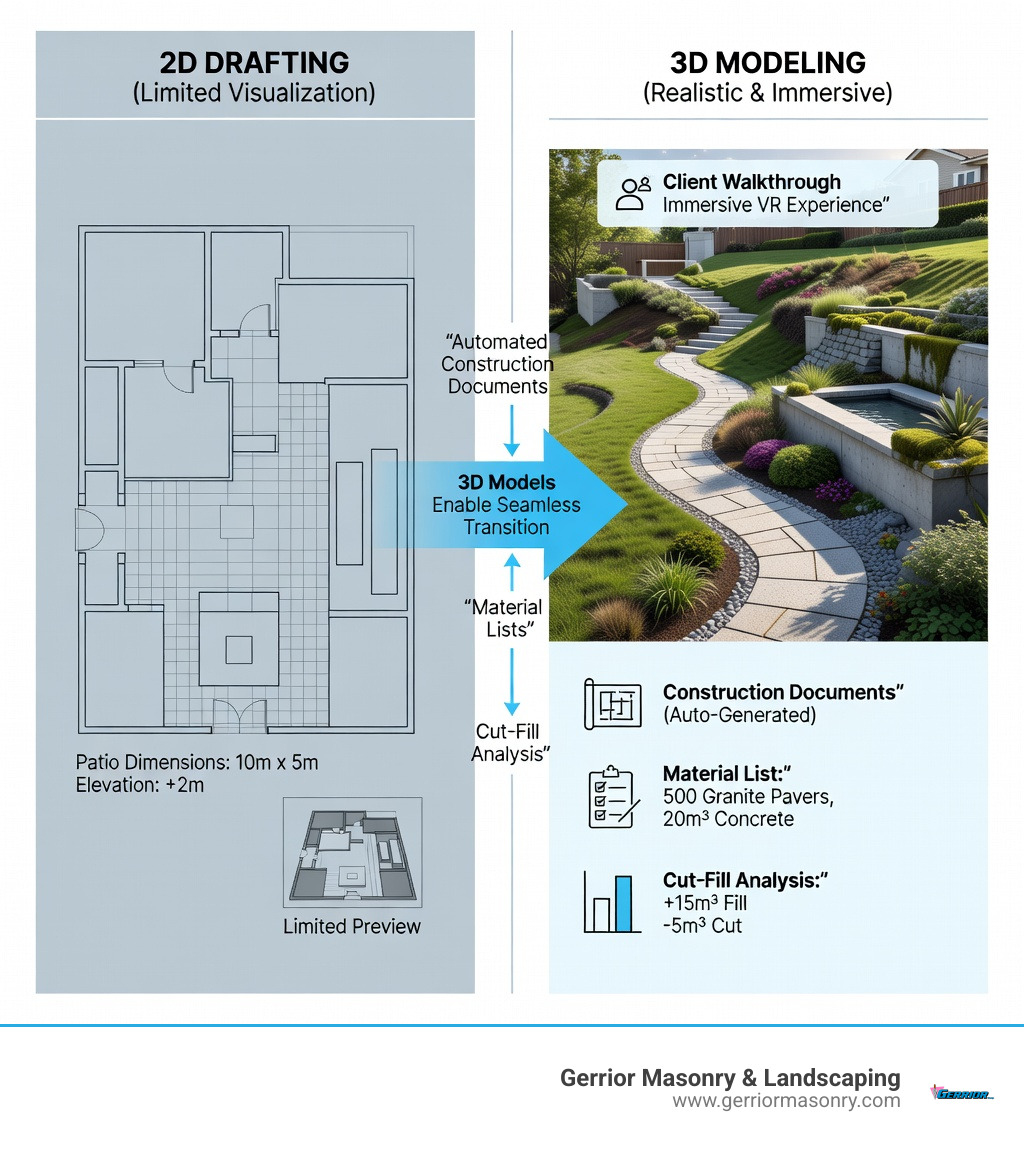
3d hardscape design software transforms how contractors and homeowners plan outdoor spaces by creating realistic three-dimensional models of patios, retaining walls, walkways, and other hardscape features before construction begins. Instead of relying on flat drawings or imagination, you can see exactly what your project will look like—down to material textures, elevation changes, and lighting effects. This technology eliminates the guesswork that often plagues traditional landscaping projects. By visualizing the interplay between light, shadow, and physical structures, homeowners can make informed decisions about expensive materials like natural stone or custom pavers before a single dollar is spent on procurement.
Top 3D hardscape design software options include:
- Vectorworks Landmark – Full BIM capabilities with terrain analysis, construction documents, and 20+ file format support. It is widely considered the industry standard for landscape architects who require high-level data integration.
- Rhino + Grasshopper – Advanced modeling with point cloud/LiDAR import, parametric design, and landscape-specific plugins. This is the go-to for complex, non-linear geometric designs.
- SketchUp – User-friendly interface with geolocation, shadow studies, and extensive 3D Warehouse library. It is perfect for rapid prototyping and conceptual visualization.
- Live Home 3D Pro – Cross-platform terrain editing with real map tracing and AR visualization on iOS, making it accessible for both professionals and tech-savvy homeowners.
Key features to look for:
- DWG/DXF/IFC file import for CAD integration
- Terrain modeling with cut/fill analysis
- Material libraries for stone, pavers, and concrete
- Photorealistic rendering for client presentations
- Construction document generation
- Hydrological simulation for drainage planning
These tools bridge the gap between concept sketches and finished projects. You can test different paver patterns, adjust wall heights, simulate drainage, and generate accurate material lists—all before breaking ground. This reduces costly mistakes and helps clients visualize the final result with confidence. Furthermore, the ability to simulate seasonal changes and plant growth over time ensures that the hardscape remains functional and aesthetically pleasing for decades.
The software ranges from free trials to professional subscriptions around $400-$5,000+ annually. Most require moderate computer specs, though complex terrain models may need stronger GPUs and 16GB+ RAM. As someone who has overseen masonry and landscape projects for over 34 years at Gerrior Masonry & Landscape Construction, I’ve watched 3d hardscape design software evolve from basic CAD drawings to sophisticated BIM tools that improve project accuracy and client communication. Below, I’ll walk you through the leading software platforms and what makes each one valuable for different types of hardscape projects.
3d hardscape design software word guide:
Choosing the Best 3D Hardscape Design Software for Professionals
When we look at the landscape of modern design, the shift from 2D blueprints to immersive 3D models is undeniable. For professionals in Middlesex and Essex County, choosing the right 3d hardscape design software is about more than just “looking cool” for a client; it is about precision, site analysis, and ensuring that every stone we lay is exactly where it needs to be. The transition to 3D allows us to identify potential structural conflicts, such as utility line interference or soil instability, long before the excavation team arrives on site.
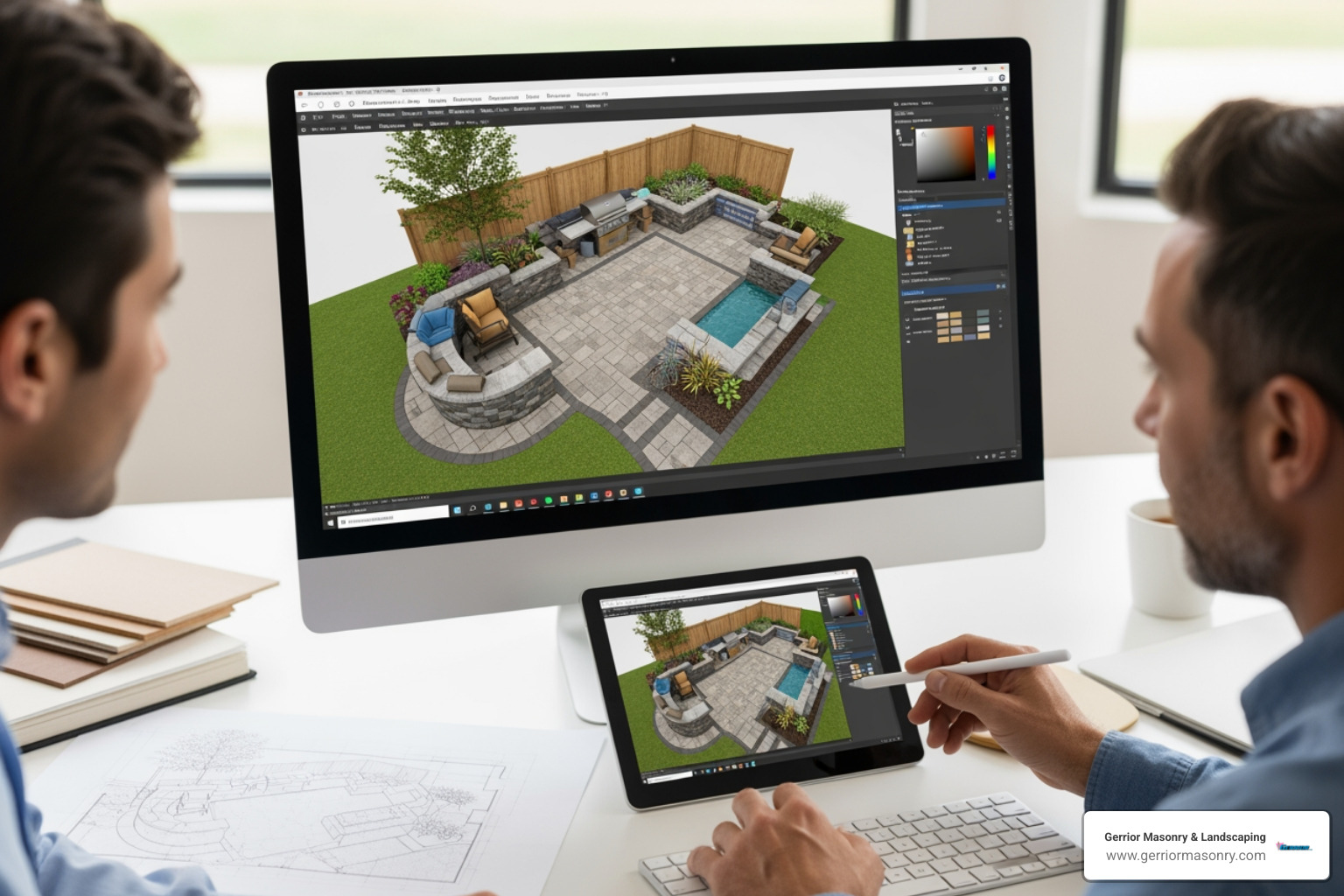
One of the most robust choices for heavy-duty design is Vectorworks Landmark. It is often cited as a one flexible 3D design software for your entire process, taking a project from the initial schematic design all the way through to detailed construction documents. It isn’t just a drawing tool; it is a Building Information Modeling (BIM) powerhouse. This means when we change a wall height in the 3D model, the schedules and 2D sections update automatically. This level of powerful 3D modelling software for any project ensures that we spend less time on manual drafting and more time on the craftsmanship that has defined us for 30 years. Vectorworks also excels in its ability to handle complex site data, allowing for the creation of detailed planting plans that coexist perfectly with hardscape structures.
For those who need absolute geometric freedom, Rhino for Landscape Design is a top-tier contender. Rhino, especially when paired with the Grasshopper parametric tool, allows us to create complex, custom shapes that would be nearly impossible to draw by hand. Whether it’s a curved natural stone bench or a unique paver pattern, Rhino’s ability to convert simple linework into 3D surfaces is a game-changer for our hardscape design services. The use of NURBS (Non-Uniform Rational B-Splines) in Rhino ensures that even the most organic curves are mathematically precise, which is vital for custom masonry work.
Essential Features of 3D Hardscape Design Software
If you are evaluating software, you need to look under the hood. A pretty picture is great, but for a masonry project to last in the New England climate, the technical data must be spot on. The software must be able to account for the freeze-thaw cycles and the specific drainage requirements of our local geography.
Terrain Modeling and Elevation Adjustments The ground is rarely flat in Massachusetts. Top-tier software allows us to load large point clouds and LiDAR data to create accurate terrain contours. Tools like Lands Design for Rhino or the site modeling tools in Vectorworks allow for precise elevation adjustments. This is critical for designing hardscape retaining walls that actually hold back the earth effectively. Without accurate terrain data, a design might look perfect on screen but fail to account for a three-foot drop in grade that requires additional structural reinforcement.
Cut and Fill Analysis One of the most practical features of 3d hardscape design software is the ability to perform cut and fill calculations. This tells us exactly how much dirt we need to move or bring in. By simulating the drainage and slope visualization digitally, we can prevent water pooling issues before they ever become a problem on your property. This feature alone can save thousands of dollars in unexpected excavation costs and soil disposal fees.
Importing Existing Data We often start with a survey or an existing CAD drawing. The best software supports importing:
- CAD Drawings: DWG, DXF, and PDF files.
- 3D Models: FBX, SKP (SketchUp), and OBJ.
- Terrain Data: Elevation points from XLS or CSV files and GPS survey data.
- GIS Data: Shapefiles and aerial imagery for broader context.
Being able to extract shapes and contour lines directly from these files ensures that the digital model matches the real-world site with surgical precision.
Supporting Elements with 3D Hardscape Design Software
Hardscaping is about the marriage of different materials—stone, brick, and concrete. The right software helps us visualize how these elements interact. It allows us to experiment with different textures and colors to see how they complement the existing architecture of the home.
Using a 3D Landscape Design Tool like SketchUp allows us to pull in terrain imagery based on your exact longitude and latitude. Once the site is set, we can experiment with different patio design and installation options.
- Pathways and Stairs: Software like Live Home 3D Pro features tools specifically for walkways and stairs, allowing paths to automatically adapt to the terrain’s elevation. This ensures that every step is uniform and meets local building codes.
- Stone Walls: We can test different hardscaping ideas for stone walls, adjusting textures to see how fieldstone looks compared to granite or brick. We can even simulate the weathering of stone over time.
- Material Libraries: Most professional software includes massive libraries of outdoor objects and plants. If the built-in library isn’t enough, we can import models from the Trimble 3D Warehouse or food4rhino.
Collaboration and File Compatibility
In many of our commercial projects, we aren’t working in a vacuum. We often need to collaborate with architects, engineers, and city planners. This is where file compatibility becomes the “unsung hero” of 3d hardscape design software. The ability to share a unified model reduces the risk of miscommunication between different trades.
Professional-grade tools support OPEN BIM workflows, which allow us to reference IFC, DWG, and RVT (Revit) files directly. This means if an architect moves a building footprint in their model, our hardscape design can update to match. This real-time synchronization is essential for large-scale developments where multiple stakeholders are involved.
For real-time updates, many platforms now offer cloud features. We can access models on-site via mobile devices to check a measurement or show a client a detail. If we run into a technical snag, resources like Vectorworks University provide webinars and training to keep our team’s skills sharp. This integration ensures our hardscaping services are always backed by the latest technology and industry standards.
Photorealistic Rendering and Client Presentations
The “Aha!” moment usually happens during the presentation. Modern 3d hardscape design software allows us to create visuals that look like professional photography. These renderings help bridge the gap between a technical plan and the client’s vision of their dream backyard.
With Landscape 3D Rendering, we can perform:
- Lighting and Shadow Studies: We can show you exactly where the shadows will fall on your new patio at 4:00 PM in mid-July. This is crucial for planning outdoor kitchens or seating areas.
- Virtual Walkthroughs: We can lead you on a digital path through your future outdoor living space, complete with nature sounds and day-to-night transitions. This immersive experience helps clients feel the scale and flow of the design.
- Physically Based Rendering (PBR): This technology ensures that stone reflects light naturally and textures look tactile and real. It captures the subtle nuances of different stone finishes, from polished granite to rugged fieldstone.
These high-quality hardscape landscaping visuals aren’t just for show; they ensure that everyone is on the same page before a single stone is delivered to your home in Woburn or Burlington.
Pricing and System Requirements for 3D Hardscape Design Software
Investing in professional software is a significant commitment. While there are entry-level apps, the tools used for high-end masonry and construction require significant computing power. A standard laptop often struggles with the high-resolution textures and complex geometry required for professional-grade hardscape models.
| Software | Pricing Model | Key Hardware Requirements | Best For |
|---|---|---|---|
| Vectorworks Landmark | Subscription | 16GB+ RAM, 4GB+ VRAM GPU | BIM & Construction Docs |
| Rhino 8 | Perpetual License | Windows/Mac, High-end GPU | Custom Geometry & Plugins |
| SketchUp Pro | Subscription | 8GB+ RAM, 1GB+ VRAM GPU | Fast Modeling & Libraries |
| Live Home 3D Pro | One-time/Subscription | iOS, Android, Win, Mac | Cross-platform Accessibility |
Note: Based on internet data, average software costs range from $400 to over $5,000 annually. These are not actual costs for Gerrior Masonry services.
For those looking to explore these tools, many offer a Free Trial Landmark or 90-day evaluations for Rhino. Just keep in mind that to run these smoothly—especially when dealing with high-resolution textures or complex topography—you’ll likely need a workstation-grade computer with a dedicated graphics card. The investment in hardware is just as important as the investment in the software itself.
Conclusion: Transforming Your Outdoor Space
At the end of the day, 3d hardscape design software is a powerful tool, but it is only as good as the hands using it. At Gerrior Masonry & Landscaping, we combine this cutting-edge technology with over three decades of “boots on the ground” experience. We understand that while a computer can generate a beautiful image, it takes a master mason to understand how the local soil will settle or how the New England winter will impact a specific type of mortar.
By using these digital tools, we improve project efficiency and ensure that our construction documents are flawless. This synergy between modern technology and traditional craftsmanship allows us to deliver results that are both beautiful and structurally sound. Whether you are looking for a simple walkway or a complete backyard overhaul, our goal is to provide a seamless transition from hardscaping design to completed project. With skilled craftsmanship and owner oversight on every job, we make sure that what you see on the screen is exactly what you get in your yard. Our commitment to quality means we don’t just build for today; we build for the next generation.
Gerrior Masonry & Landscape Construction is based in Woburn, MA, and services Middlesex and Essex County, Massachusetts. We invite you to explore the possibilities that 3D design can bring to your next outdoor project.
